

Editing Project Metadata
Committers have the ability to edit the information managed and displayed on the project page. There are several sections on the page. When you switch the page into Edit mode, you will be provided with lots of help regarding the contents of each of the fields (note that the help text is currently rendered below the fields).
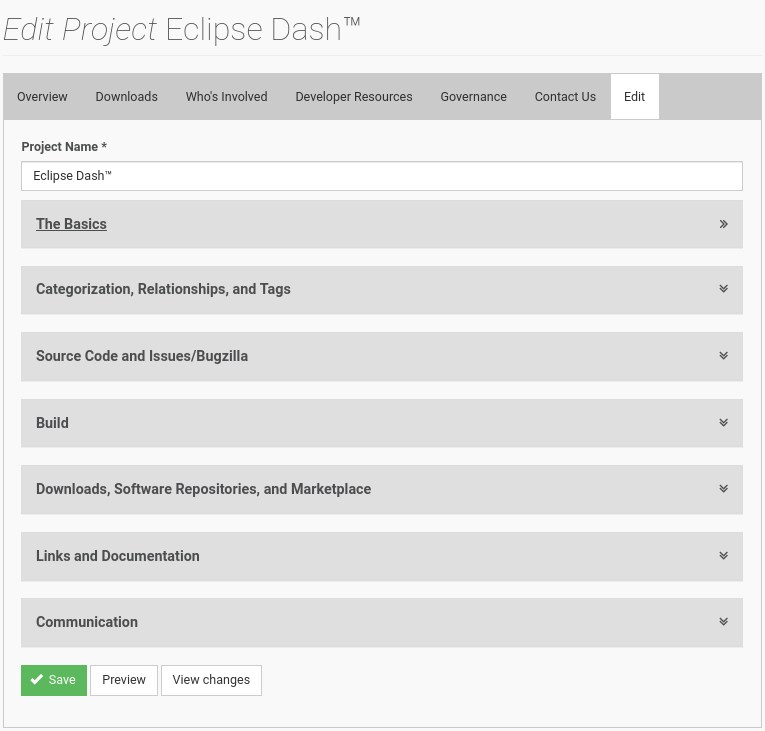
To set the edit project metadata:
- Log into the PMI;
- Navigate to the project page;
- Click Edit;
- Expand sections to expose the various topic areas, and edit as required; and
- Click Save.
Tip: The changes that you make to the project metadata will be reflected immediately on the project information page.
If you require assistance editing the project metadata, contact the EMO.
Some of the fields are described below.
Description and Scope
The project description is displayed on the Overview page; the scope is displayed on the Governance page.
Downloads
You can provide download information for your project in the Downloads section.
Contributors
The project team can choose to designate specific individuals as official contributors.
Source Repositories
GitLab groups, GitHub organisations, and other source repositories are listed on the Developer Resources page.
Project Logos
Project Logos appear in the right navigation area on the project page.
Company Logos
Company logos automatically appear on the Overview and Who’s Involved page under the following conditions:
Build Technology
Build information appears on the Developer Resources page.
Technology Types
Technology types are displayed in the Tags block in the right navigation area of the project page.