

Project Pages
The PMI provides a website for every project based on the project metadata. This website includes an Overview page that shows basic information about the project, a Downloads page that provides links to downloads, a Developer Resources page that includes links to source code repositories, and more.
An example project page is shown below. The Overview page includes the name and description of the project, list of project licenses, a table of recent releases, and various charts and other information (note that more charts are displayed on the Who’s Involved page. The website also includes links to project-specific commands and tools when the user is logged in as a project committer.
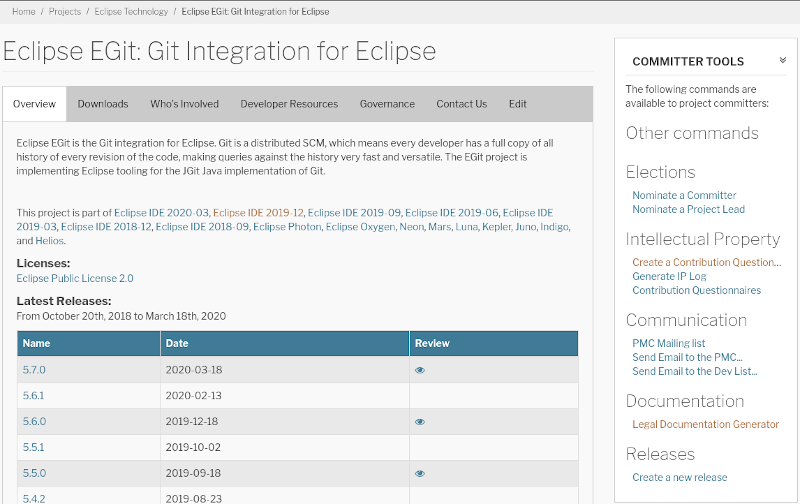
A logged in committer can access commands and tools from the Committer Tools block on the right side of the project page; they can also edit project metadata by clicking the Edit link at the far right of the tab list.
The URL for a project page takes the form https://projects.eclipse.org/projects/<project id> (e.g., https://projects.eclipse.org/projects/technology.woolsey), where <project id> is the project ID.