

How does an Election work?
Use the Committer Tools › Nominate a Committer link on the corresponding project page and follow the workflow to start a committer election.
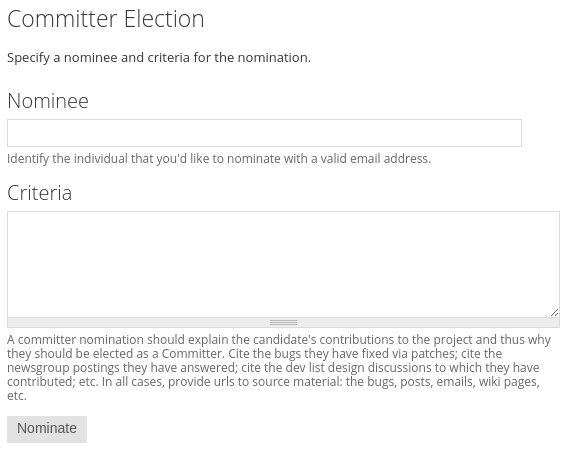
Project committers will be notified to participate in the election via the project’s dev-list.
Note: Your project must have a dev-list specified in the project’s metadata and existing project team members must be subscribed to the list.
An election starts with a nomination by an existing committer.
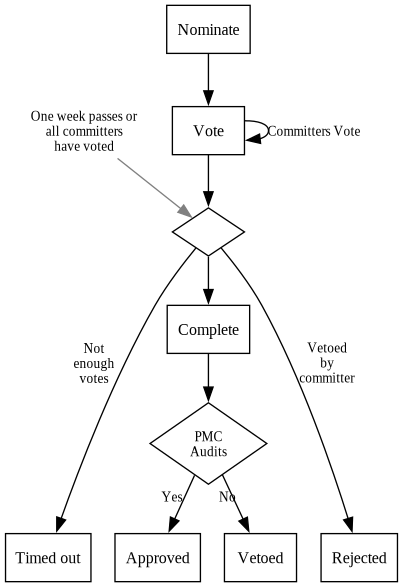
Only project committers may nominate a new committer or vote in a committer election. To be successful, the election must receive a minimum of three positive +1 votes. Any committer can veto the election by casting a -1 vote, or indicate their participation in the process but with no opinion with a +0 vote. For projects with three or fewer committers all committers must vote. Committer elections run for one week, but will end prematurely if all project committers vote +1.
Tip: Committers can change their vote while the election is in progress. Committers may post questions about the committer or ask for clarification of the merit statement in the project’s dev-list, and change their vote based on what they discover. The merit statement itself cannot be changed after the election has started.
Following a successful committer vote, the project’s Project Management Committee (PMC) will review the election results and then either approve or veto the election. An election may be vetoed, for example, if the PMC feels that the merit statement is not strong enough.
The paperwork process will automatically be initiated following PMC approval of an election.