

Eclipse Dash License Tool
The Eclipse Dash License Tool takes a list of dependencies as input, matches content to license information obtained from trusted sources, and identifies the content that needs further scrutiny (that is, it lists all content for which license information cannot be found in one of the approved sources). It is available as both a command-line interface and a Maven plugin.
Warning: The Eclipse Dash License Tool is intended to assist with the process of determining the licenses of third party content and help committers identify intellectual property that require further scrutiny. The tool, like any tool, is only as good as the input provided. The License Tool’s documentation provides examples of how dependency lists can be generated; these examples should be regarded as such: examples of how to construct a dependency list. Ultimately, is the responsibility of committers to understand the nature of their project and the third party content it requires.
What the License Tool does is relatively simple:
- it first queries the Eclipse Foundation’s Dash Database;
- if an entry has been vetted by the IP Team and has been approved for use, then it is marked as
approved; - if an entry has been vetted by the IP Team and flagged as somehow problematic, it will be marked as
restricted
- if an entry has been vetted by the IP Team and has been approved for use, then it is marked as
- it then sends the content that has not already been flagged as either
approvedorrestrictedto ClearlyDefined- ClearlyDefined matches are marked as
approved;
- ClearlyDefined matches are marked as
- Everything else is marked
restricted.
The License Tool lists all content that ended up marked as restricted as requiring further scrutiny.
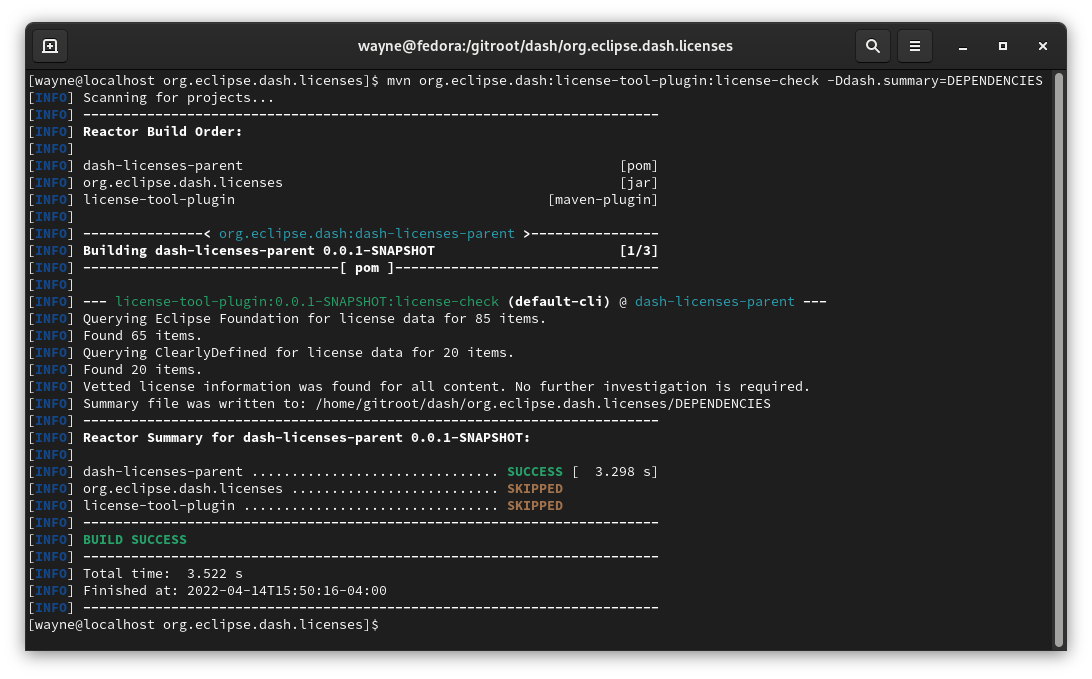
Maven Plugin
A Maven plugin is provided that can be used by project teams that leverage Maven pom.xml files for build.
Command-line Interface
A CLI interface is also provided. For many build technologies, it is relatively easy to generate lists of dependencies directly (e.g., the Maven Dependencies plugin). There are some specific examples in the Eclipse Dash License Tool’s README (e.g., Gradle-, NPM-, and Yarn-based systems). Project teams that use technologies that do not provide easily parsed/converted dependency lists can manually generate a list and feed that to the tool.
Automatic IP Team Review Requests
The Eclipse Dash License Tool can create issue against IPLab for content that any content that the tool determines requires further review by the IP Team.
To use this feature, you must:
- have committer status on an Eclipse project; and
- get an authentication token (scope: api) from gitlab.eclipse.org;
When using the command-line version of the tool:
- include the
-reviewoption; - pass the token via the
-tokenoption; and - pass the project id via the
-projectoption.
When using the Maven plugin:
- pass the token via the
-Ddash.iplab.token=<token>option; and - pass the project id via the
-Ddash.projectId=<project>option.
For example:
$ mvn org.eclipse.dash:license-tool-plugin:license-check -Ddash.projectId=technology.dash -Ddash.iplab.token=...
Warning: Do not share your access token.