

Frequently Asked Questions
No requirement. Getting reviews/approvals from any committer on your project is sufficient, whether they are from the same company or different.
Project teams may establish their own rules regarding how contributions are accepted. These rules range from allowing any committer to approve a contribution, to requiring that contributions from a committer be approved by another committer, to requiring that all contributions be approved by a project lead. Whatever the case, it should be documented (typically captured in a CONTRIBUTING file).
It is generally considered good practice (or a nice-to-have) to request a review from an “outsider”, especially if the proposed change might be considered complex or controversial. It’s always good to get outside viewpoints. But the specific rules are left for the project team to decide.
If you are not a committer on a particular Eclipse open source project, to contribute (e.g., make pull requests) to that project, you need to be covered by an ECA. If you are already a committer on any Eclipse open source project, then you are already covered by an ECA through your committer agreement and do not need to sign the ECA separately. If your employer has signed the Member Committer and Contributor Agreement, then you are already covered by an ECA and you do not need to sign the ECA separately.
If you are a committer on a project you do not need an ECA to contribute to that project.
Assuming that you are empowered to do so, you can individually sign the ECA even if you are already covered by another agreement.
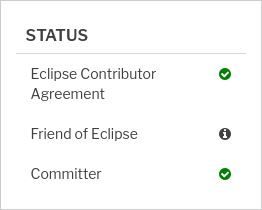
Visit your Eclipse Account page. Your Eclipse Contributor Agreement (ECA) status is shown in the top-right corner.
For example, this contributor is covered by the ECA (and is a committer on one or more Eclipse Foundation open source projects).
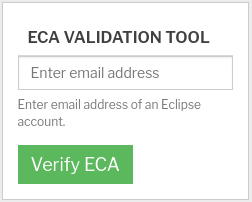
Visit your Eclipse Foundation Account page and use the ECA Validation block in the sidebar to verify the ECA status of an individual using their email address.
If your employer is a member of the Eclipse Foundation, they will be listed on the Explore Our Members page.
Check with your manager. If your manager doesn’t know, you can contact the EMO Records Team for assistance.
It’s likely that you haven’t provided us with employer information. In order for our systems to know that you are affiliated with a particular organization, you must specify your employer in your Eclipse Foundation Account.
It’s likely that you haven’t provided us with your GitHub Id. Our systems manage the composition of the GitHub teams that have the necessary privileges on project repositories. For that, we need your GitHub Id, which you must provide us with in your Eclipse Foundation Account.